File Extension
We currently host 21 tools that can read or write .EDL files. Please note that this list may be incomplete due to the constant development of new tools and features.
.EDL
The following results are listed in a random order.
This tool allows you to merge information from ALE files into an EDL sequence. You can select one or more ALE files and one sequence as EDL to generate a CSV summary or add the details to the EDL.
Turn your XML or EDL timeline into a high-resolution PNG artwork of your edit.
The Music Cue Sheet Manager represents the next stage in the management of cue sheets for film and series production. It offers a range of options for importing and managing cue data and creating complex music cue sheets easily. The tool is compatible with sequences from Media Composer, Premiere, Resolve, and Final Cut Pro. It merges multiple tracks and removes invisible cuts to produce a clean list. Based on file names, metadata for the music tracks can also be automatically added to the cue sheet if they come from one of our partner libraries. The export can be customized using presets and exported to a variety of formats, including CSV, Excel and more.
Upload your XML or EDL timeline and get statistics about the use of cameras, media types and your editing style.
This tool enables you to effortlessly generate a VFX shot list complete with clip timecodes and supplementary metadata derived from a sequence file.
Create a tracking document for all stock or archive video clips used in a film, using either an EDL, XML or FCPXML sequence file.
Turn a Timeline into a simple Shot List or Table with Clip-Timecodes and additonal Meta-Data.
Upload your XML or EDL timeline, filter its content (e.g. stock footage or pictures) and export the result as a sorted list.
Upload an EDL from your transcribed sequence and your subtitle selection to generate a cutdown EDL.
The tool automatically detects scene changes in videos and generates an EDL and CSV file with the scene timecodes for further editing in Avid Media Composer, Adobe Premiere, DaVinci Resolve or Apple Final Cut Pro. The tool offers both content-aware and threshold-based detection algorithms.
This tool enables you to compare two EDL sequences in order to identify and record any changes made to the clips, and to generate a changelog document, changelog markers or a edl with the changed shots.
Create editorial notes for live events or studio recordings with your team in real time, download the notes as CSV, PDF, or Excel files, or import them directly into an editing sequence in Adobe Premiere, Avid Media Composer, DaVinci Resolve, and/or other NLEs as markers.
Convert and merge EDL files to CSV lists (for Excel or Google Sheets) or convert CSV lists back into an EDL file for Media Composer, Premiere, Resolve, Final Cut and others.
Turn a timeline into a vector graphic (SVG) or an interactive HTML map.
This tool lets you move quality control notes related to files and source timecode to the right place in the final editing sequence. Upload one or more QC files and one editing sequence to filter and match the notes. Then, export them as sequence markers or list.
Generate a clean music cue sheet with timecodes, durations, and track metadata out of your editing sequence. Upload an XML or EDL file and generate a CSV, XLSX, PDF, TXT, or other formats to use in Google Sheets, Microsoft Excel, Apple Numbers, and similar programs.
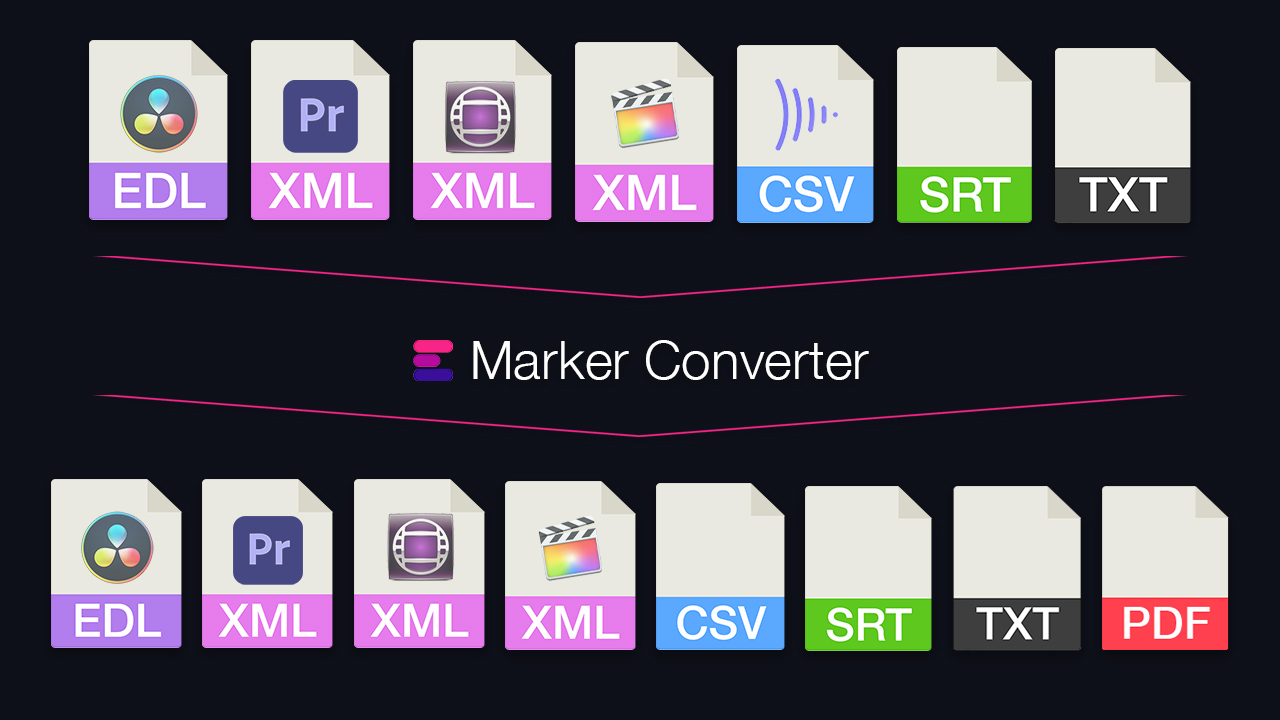
Simplify the exchange of markers between different programs. Convert timeline markers to various formats for Premiere, DaVinci Resolve, Media Composer, Pro Tools, Frame.io, Pix, CSV, Google Sheets, PDF and more. The tool also lets you filter markers by color, swap colors, or move and correct timecodes.
Turn your ADR list from Excel, Google Sheets or CSV into markers for Avid Pro Tools, Media Composer, Premiere and DaVinci Resolve. Or export markers from your timeline as an ADR list.
Convert subtitles to other file formats like SRT, VTT, SBV or use the tool to check subtitles for guidelines, repair, correct or move them. You can also convert subtitles to markers and use them in an editing program.
Create images from a video file using a list or document of timecodes. This tool can be useful for generating thumbnails for vfx sheets.
The standalone app of our EDL tool: convert and edit EDLs and timelines offline on your computer.