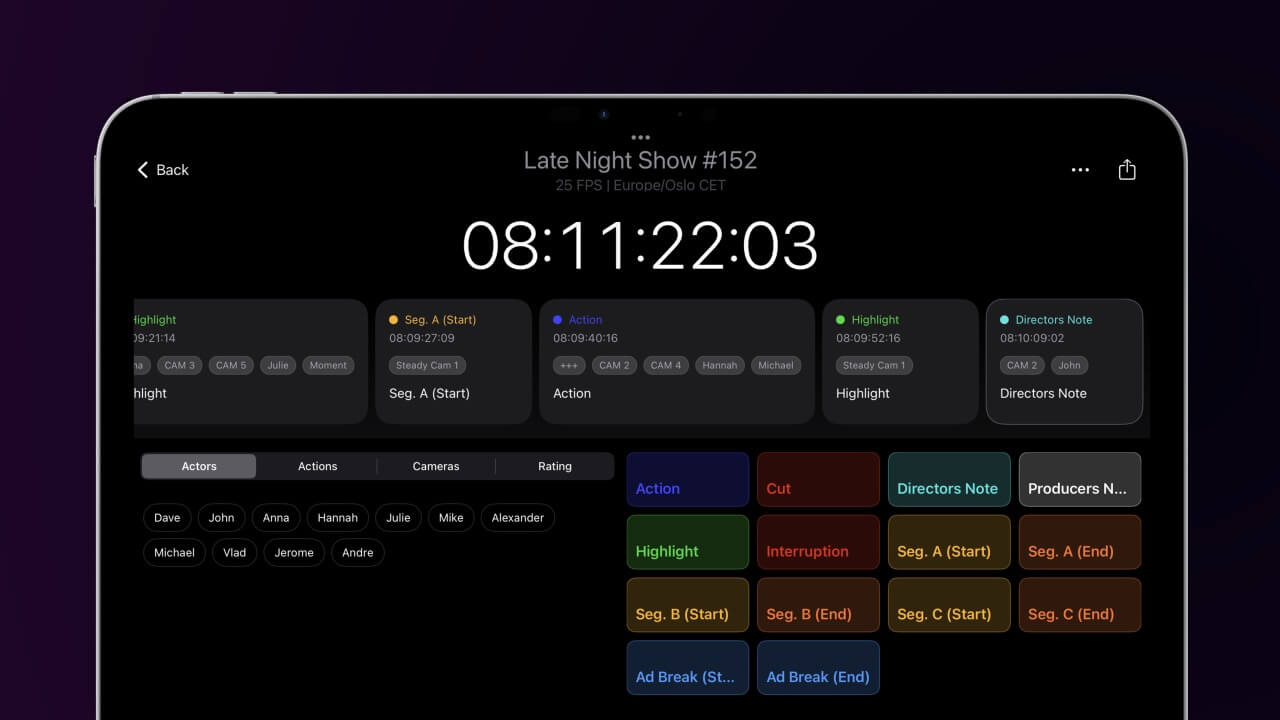
Video Timecode Notes
Timecode notes, markers and drawings for your footage. Local, fast and ready for every edit suite.
Timecode notes, markers and drawings for your footage. Local, fast and ready for every edit suite.
Requires macOS 14.6 or later
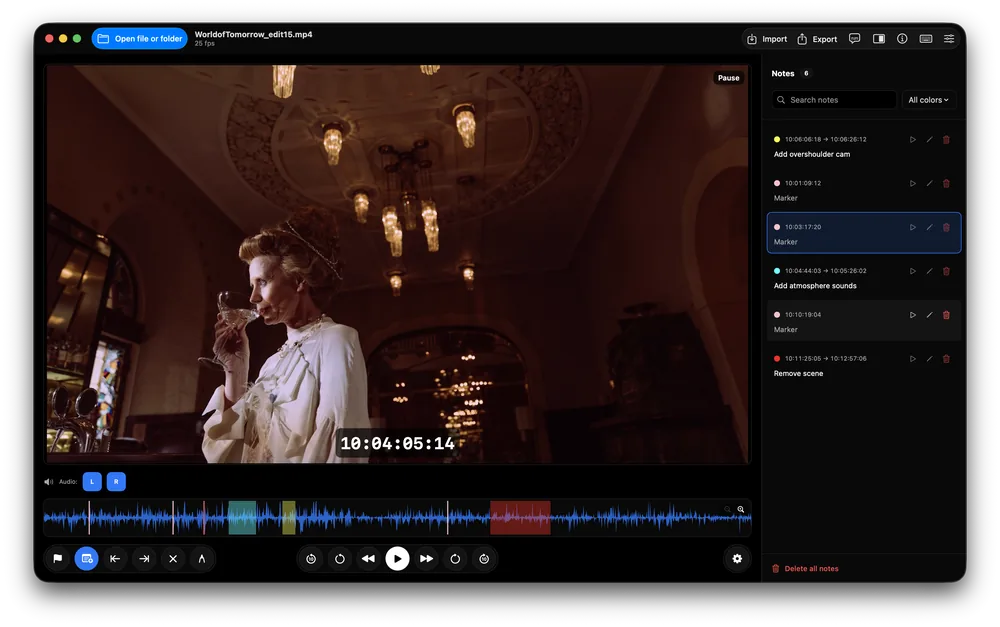
Video Timecode Notes is a Mac app for reviewing footage and logging timecode-accurate notes. Open a clip, a selection of clips or a whole folder from your drive or network, play it with J K L, and add notes, markers and drawings with a single key. Everything stays local: no upload, no cloud account, ready for secure and off-grid productions.
The app reads the source timecode straight from the file, from QuickTime and MP4 timecode tracks, MXF files from professional cameras, Broadcast WAV recordings and Adobe metadata. Your notes therefore match the timecode your editor, colourist or sound team sees. Drop-frame rates, frame counts and time from clip start are supported as well.
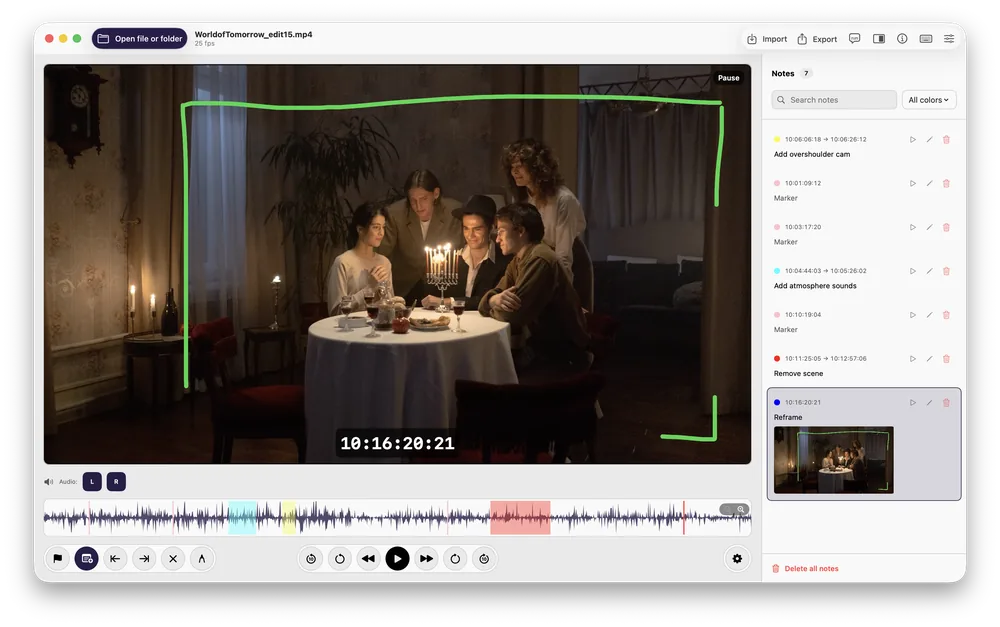
Notes can be single markers or ranges with IN and OUT points, each with a name, a comment over several lines and a colour. Draw on the frame with pen, arrow, rectangle or ellipse to show exactly what you mean. All notes appear on the waveform and in a searchable list you can sort and filter.
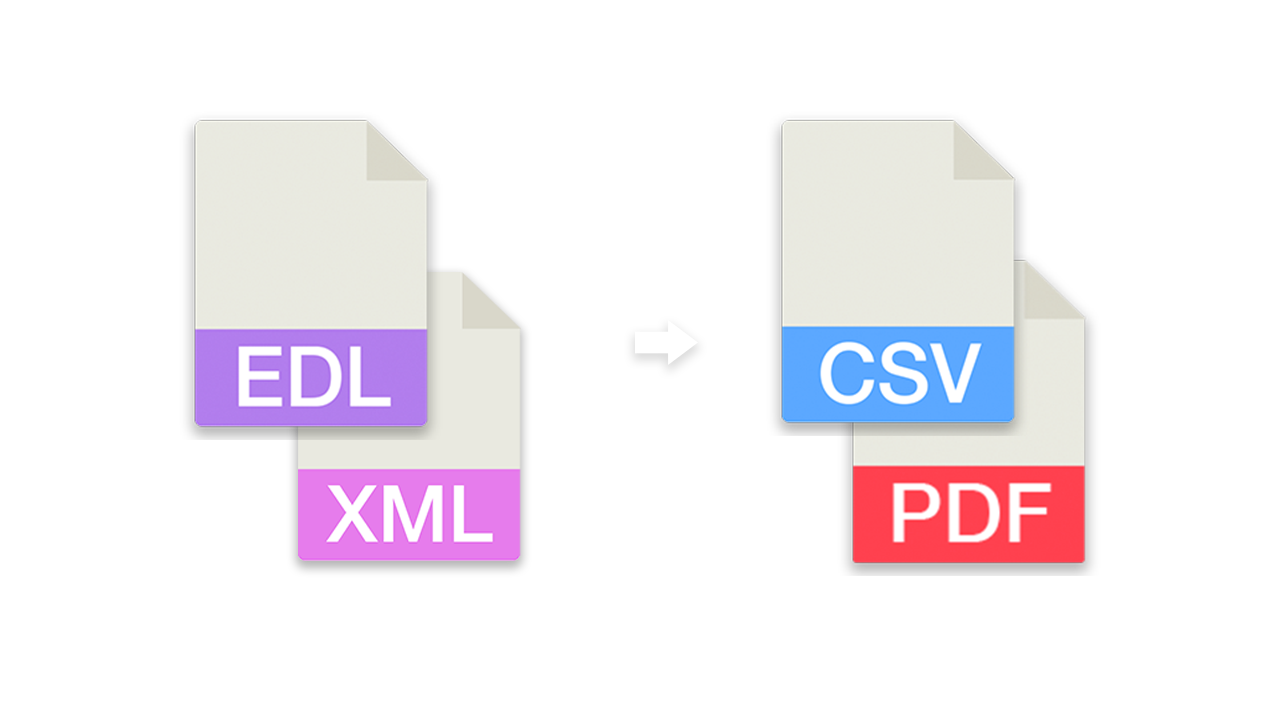
When the review is done, export the notes as markers to Adobe Premiere Pro, DaVinci Resolve, Avid Media Composer, Avid Pro Tools, REAPER or OpenTimelineIO, as YouTube chapters, or as PDF, Excel, CSV and text reports with timecodes and pictures. Notes from Frame.io, Vimeo, Dropbox Replay, Final Cut Pro, Premiere Pro, Resolve, Avid and other tools can be imported and merged. Markers stored inside media files, such as WAV cue points from sound recorders, are picked up automatically.
For teams, notes can live in one shared file on a network drive, so several people log the same clips and see each other's notes within seconds. Compare versions of an edit to carry notes over to the next cut, and see right away which shots changed.
Safely, quickly and professionally log local footage with source timecode notes. Built for off-grid and enterprise post-production workflows: no upload, no cloud, no account.
If you have any questions or feature requests, please contact our support team. We are happy to help.
Notes with drawings, waveform with markers and ranges
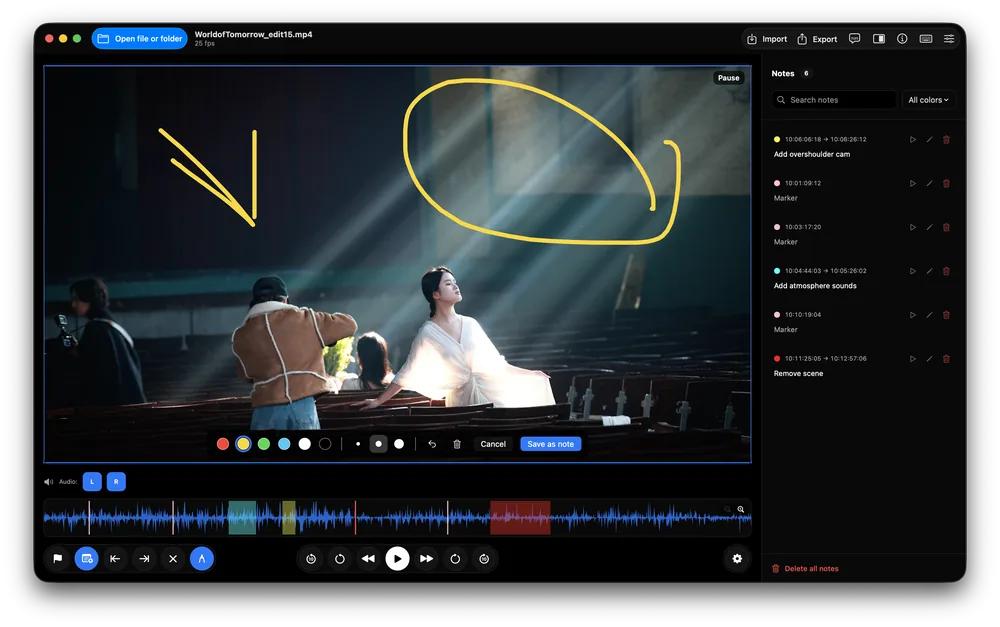
Draw on the video with pen, arrow, rectangle and ellipse
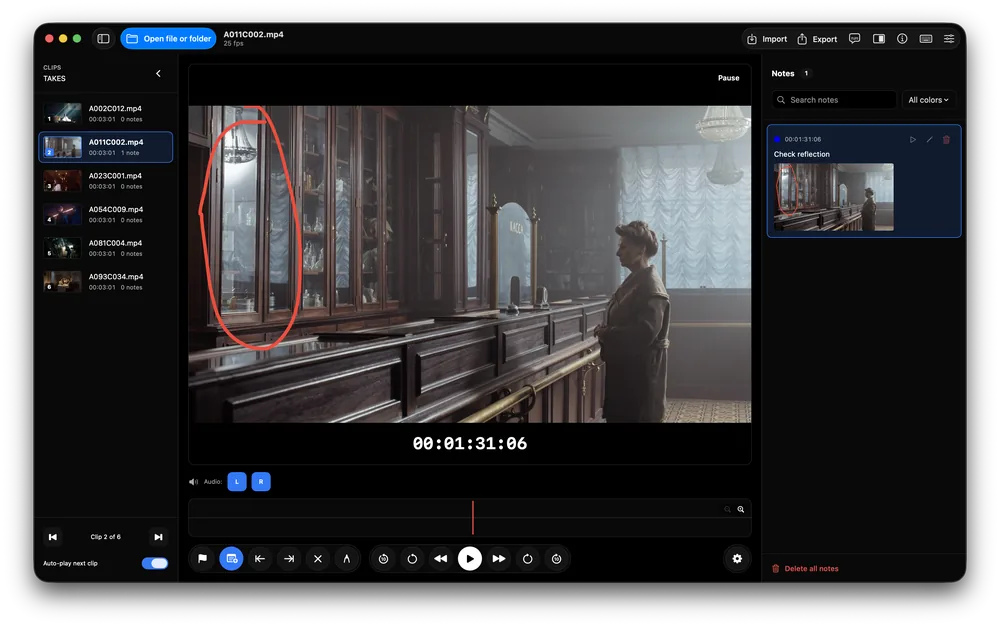
Clip list with thumbnails for folders and takes
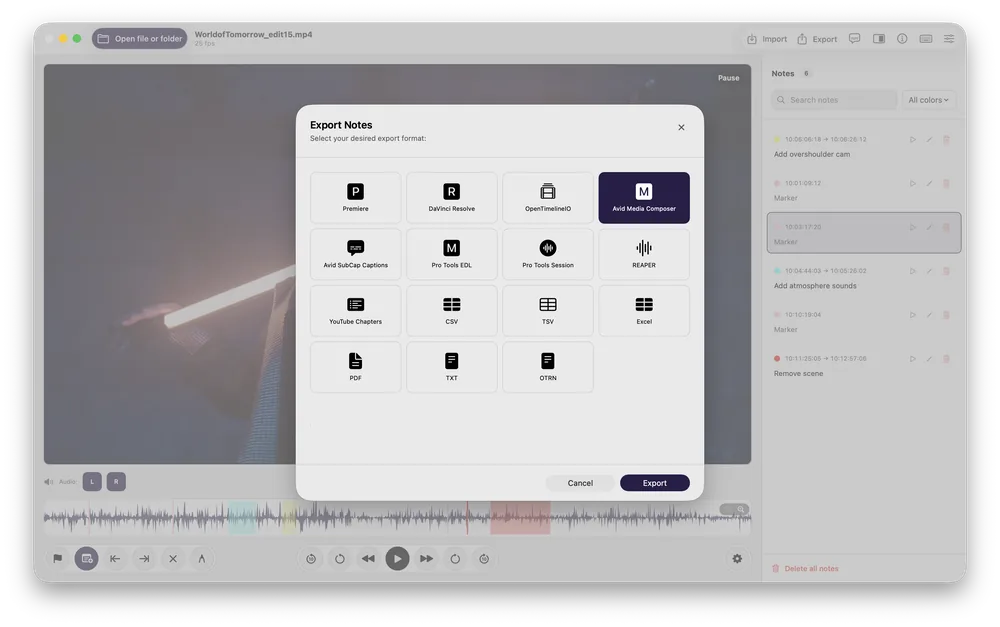
Export markers and reports for every edit suite
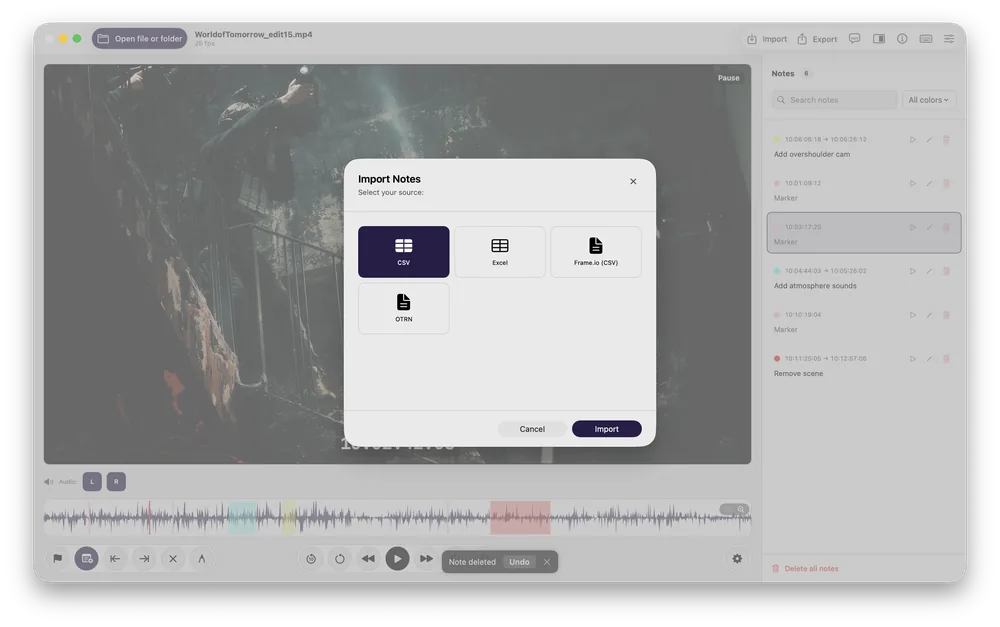
Import notes from tables, Frame.io and OTRN
Dark look with notes list and audio channels
| Source | Content | File |
|---|---|---|
| CSV, Excel | Tables | .csv, .tsv, .xlsx |
| OTRN (Open Timecode-Related Notes) | Notes with vector drawings | .otrn |
| Live Timecode Notes | Notes | .json |
| Adobe Premiere Pro | Sequence markers | .xml |
| Adobe Premiere Pro | Marker list | .csv |
| DaVinci Resolve | Markers | .edl |
| Avid Media Composer | Markers | .txt |
| Final Cut Pro | Markers, to-dos and chapters | .fcpxml, .fcpxmld |
| Frame.io | Comments | .csv |
| Vimeo Review | Comments | .csv |
| Dropbox Replay | Comments | .json |
| Krock.io | Comments | .csv |
| Pix | Comments | .csv |
Markers stored inside media files are imported automatically when a clip is opened: WAV cue points from recorders and DAWs, markers embedded by Premiere Pro and Media Encoder, and chapters of MOV and MP4 files. Duplicates are skipped.
| Target | Content | File |
|---|---|---|
| Adobe Premiere Pro | Markers | .xml |
| DaVinci Resolve | Markers | .edl |
| Avid Media Composer | Markers (8 or 16 colours) | .txt |
| Avid Media Composer | SubCap captions | .txt |
| Avid Pro Tools | Markers | .edl |
| Avid Pro Tools | Session | .ptx |
| REAPER | Markers and regions | .csv |
| OpenTimelineIO | Markers | .otio |
| YouTube | Chapters | .txt |
| Report with pictures | ||
| Excel | Table with pictures | .xlsx |
| CSV, TSV, TXT | Tables and text | .csv, .tsv, .txt |
| OTRN | Notes with vector drawings | .otrn |
| System | macOS 14.6 or later |
|---|---|
| Video files | MOV, MP4, M4V, MXF, 3GP, MPG/MPEG (everything macOS can play) |
| Audio files | WAV, Broadcast WAV (BWF), AIFF, CAF, MP3, M4A, AAC, FLAC |
| Frame rates | 16, 23.976, 24, 25, 29.97 (drop and non-drop), 30, 48, 50, 59.94 (drop and non-drop), 60, 75, 90 fps |
| Languages | 29: English, العربية, Български, Čeština, Dansk, Nederlands, Eesti, Suomi, Français, Deutsch, Ελληνικά, Magyar, Bahasa Indonesia, Italiano, 日本語, 한국어, Latviešu, Lietuvių, Norsk, Polski, Português, Română, Русский, Slovenčina, Slovenščina, Español, Svenska, Türkçe, Українська |
| Data | Works offline. Notes stay on your Mac or in a notes file you choose. No account, no upload. |
| Versions | Free version and full version |
| Key | Action |
|---|---|
| N | New note with comment |
| M | Instant marker |
| I / O | Set IN / OUT point |
| C | Clear IN and OUT |
| R | Repeat last note |
| D | Draw on the video |
| Space | Play / pause |
| J / K / L | Slower or reverse / normal speed / faster |
| , / . | One frame back / forward |
| ← / → | Previous / next note |
| ↑ / ↓ | Previous / next clip |
| + / - | Zoom in / out |
| 0 | Actual pixels (1:1) |
| F | Fit video to window |
| T | Theater mode |
| 1 … 9 | Audio channel on / off |
The free version has every review feature; the full version removes the export limit and adds teamwork.
| Feature | Free (trial) | Full version |
|---|---|---|
| Player, notes, drawings, import, guides, version compare | Yes | Yes |
| Export | First 3 notes per export | All notes |
| Avid Media Composer 16-colour markers (2024.6 and later) | No | Yes |
| Shared notes file on a desktop or network drive | No | Yes |
Directors, producers, editors, assistants, DITs, sound teams and clients who review footage without access to the edit suite.
Watch the export, log notes with drawings, send a PDF to the editor and the markers file for the timeline.
Open the day's card folder, read the camera timecode, log good takes and problems, export a report per day.
Review WAV files from the recorder with their cue points, listen to single channels while logging, export markers for Pro Tools or REAPER.
Review unreleased footage on a Mac without uploading it anywhere.
Compare the new export with the old one and carry over the open notes.
Several reviewers write into one notes file on the network drive at the same time.
We offer three types of licenses. The single-user license is ideal for freelancers who want to use the software on one or two computers. This license is tied to a single account. For companies, we offer a team license, which is bound to the company. The number of licenses can be chosen upon purchase, with a minimum of three licenses. We also offer an enterprise option. Please contact our sales team for more information. All licenses are perpetual.
Please note: The plugin itself is currently only available in English.
You will be redirected to the secure "Paddle" checkout. Paddle.com is the Merchant of Record.
Reverse-Charge: If you are buying for a company and have a VAT ID, you may be able to use the reverse charge procedure in some countries. On the checkout page, click "Add VAT ID" on the left after selecting your country and postcode.
If you have any questions or feature requests, please contact our support team. We are happy to assist you!
No. Files are played from your Mac or network drive, and notes are stored in the app or in a notes file you choose.
Yes, when the file carries timecode: the app reads the source timecode from the file. You can also set the start timecode by hand.
Premiere Pro, DaVinci Resolve, Avid Media Composer, Pro Tools and REAPER get markers; OpenTimelineIO works with many other tools. PDF and Excel reports work for everyone else.
Yes: Frame.io, Vimeo Review, Dropbox Replay, Krock.io and Pix comment exports can be imported and merged with your own notes.
Yes. WAV, AIFF, MP3, M4A, FLAC and other audio files open like clips, with waveform and recorder timecode.
Yes, with the full version: store the notes in one file on a shared drive.
Open Timecode-Related Notes, an open file format for timecode notes, documented at otrn.editingtools.io. The app reads and writes it, including drawings.
Download the app from the Mac App Store or download the .app file from EditingTools.io, then start it.
The app runs on macOS 14.6 or later.
Yes, if there are updates available, you can download them for free.
You can simply delete the .app file from your computer.
If you need a feature for the app, a new option, or a custom version, please send us a message. We provide custom solutions for your business.